

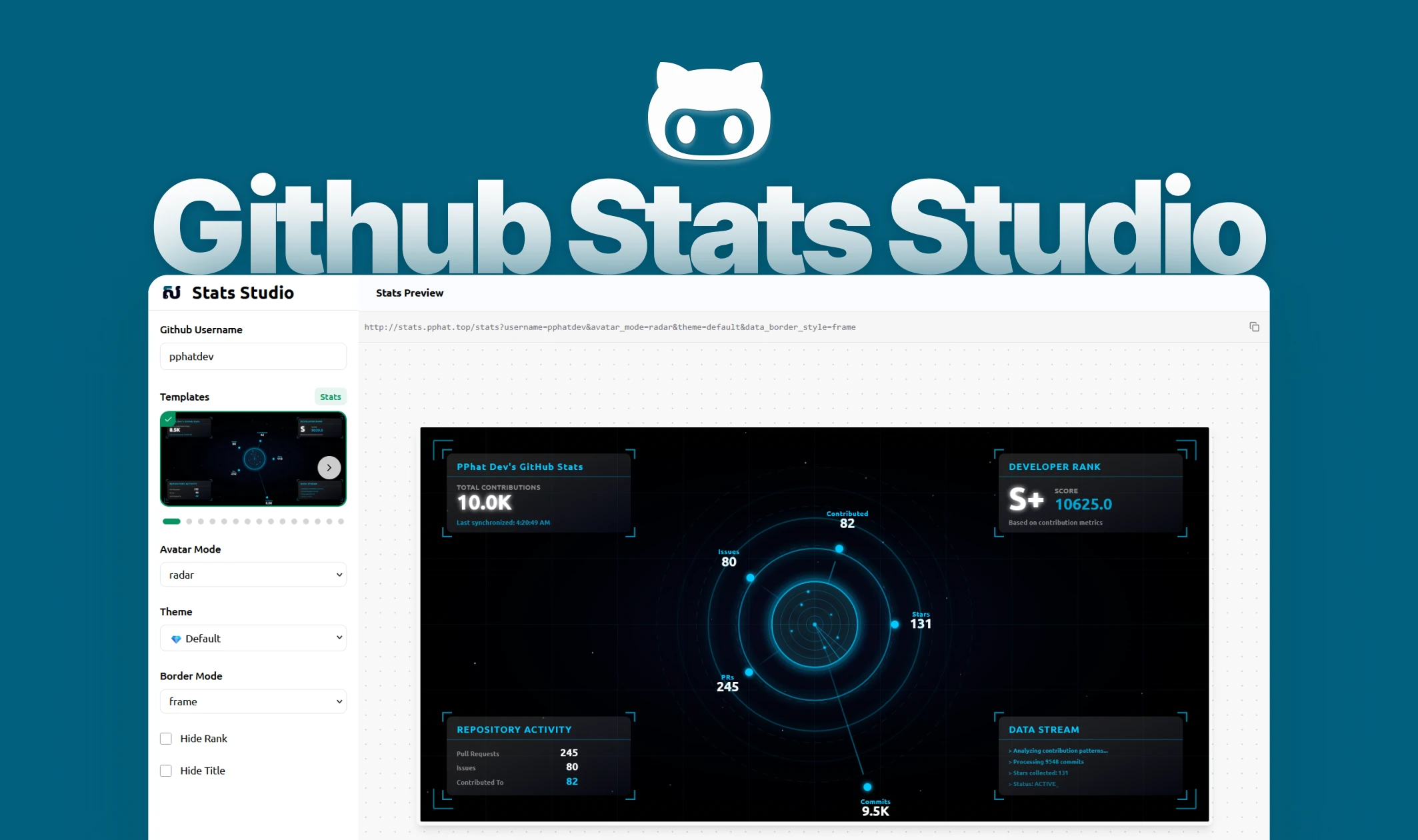
GitHub Stats Studio
A beautiful visual editor for creating stunning GitHub statistics cards with real-time preview and customization options.
✨ Stats Gallery
✨ Languages
✨ About Project
GitHub Stats Studio is a beautiful visual editor for creating stunning GitHub statistics cards with real-time preview and customization options. This modern web application empowers developers to craft personalized GitHub profile stats cards without writing a single line of code. The intuitive interface provides instant visual feedback, allowing users to experiment with various templates, themes, and customization options to create the perfect stats card for their GitHub profile. Built with Nuxt 4 and Vue 3, it delivers a seamless user experience with smooth animations, zoom controls, and one-click URL generation for immediate integration into GitHub README files.
🛠️ Project Tech Stack
-
Core:
- Nuxt.js
v4.1.3 - Vue
v3.5.28 - TypeScript
v5.0
- Nuxt.js
-
UI & Styling:
- TailwindCSS
v4.2.0 - Custom Icon Components
- Responsive Design
- TailwindCSS
-
Features & Utilities:
- Canvas Confetti (Celebrations)
- Real-time Preview
- URL Generation
- Zoom & Pan Controls
-
Development:
- Prettier
- PM2 (Ecosystem Config)
- ESLint
🌈 Project Features
- 🎨 Visual Editor - Intuitive interface for customizing GitHub stats cards
- 👁️ Real-time Preview - See your changes instantly with live preview
- 🖼️ Multiple Templates - Choose from various pre-designed templates
- ⚡ Customizable Options - Fine-tune every aspect of your stats card
- 🔍 Zoom Controls - Zoom in/out and pan for detailed preview
- 📋 One-click Copy - Copy generated URLs with a single click
- 🎉 Delightful UX - Smooth animations and confetti celebrations
- 📱 Responsive Design - Works seamlessly on all devices
- 🎨 Theme System - Multiple beautiful themes to choose from
- 🔧 Border Styles - Customize borders, frames, and decorative elements
💻 Installation & Setup
Prerequisites
- Node.js 18.x or higher
- npm, pnpm, yarn, or bun
Installation
- Clone the repository:
git clone https://github.com/pphatdev/studio.git
cd studio
- Install dependencies:
# npm
npm install

# pnpm
pnpm install

# yarn
yarn install

# bun
bun install
Development Server
Start the development server on http://localhost:3000:
# npm
npm run dev

# pnpm
pnpm dev

# yarn
yarn dev

# bun
bun run dev
Production Build
Build the application for production:
# npm
npm run build

# pnpm
pnpm build

# yarn
yarn build

# bun
bun run build
Locally preview production build:
# npm
npm run preview

# pnpm
pnpm preview

# yarn
yarn preview

# bun
bun run preview
📁 Project Structure
studio.pphat.top/
├── app/
│   ├── assets/
│   │   └── css/           # Global styles
│   ├── components/
│   │   ├── icons/         # Icon components
│   │   ├── sidebar/       # Sidebar components
│   │   └── studio/        # Studio preview components
│   ├── composables/
│   │   └── useStats.ts    # Stats management composable
│   ├── pages/
│   │   └── index.vue      # Main studio page
│   └── utils/
│       ├── data.json      # Configuration and templates
│       ├── themes.ts      # Theme definitions
│       └── utils.ts       # Utility functions
├── public/                # Static assets
├── nuxt.config.ts         # Nuxt configuration
└── package.json           # Project dependencies
📝 Available Scripts
npm run dev- Start development servernpm run build- Build for productionnpm run generate- Generate static sitenpm run preview- Preview production buildnpm run prettier- Format code with Prettier
🎯 How It Works
GitHub Stats Studio provides a visual interface to customize GitHub stats cards:
- Enter Username - Input your GitHub username
- Choose Template - Select from pre-designed templates (Stats, Default, Radar, etc.)
- Customize Options - Adjust colors, themes, borders, and visibility
- Real-time Preview - See instant updates with zoom and pan controls
- Generate URL - Copy the generated URL for your GitHub README
- Celebrate - Enjoy delightful confetti animations on success
🙏 Acknowledgments
- Built with Vue and Nuxt
- Styled with Tailwind CSS
- Icons and UI components custom-designed
- Powered by GitHub Stats API at stats.pphat.top
Demo: studio.pphat.top
API: stats.pphat.top
GitHub: pphatdev/studio